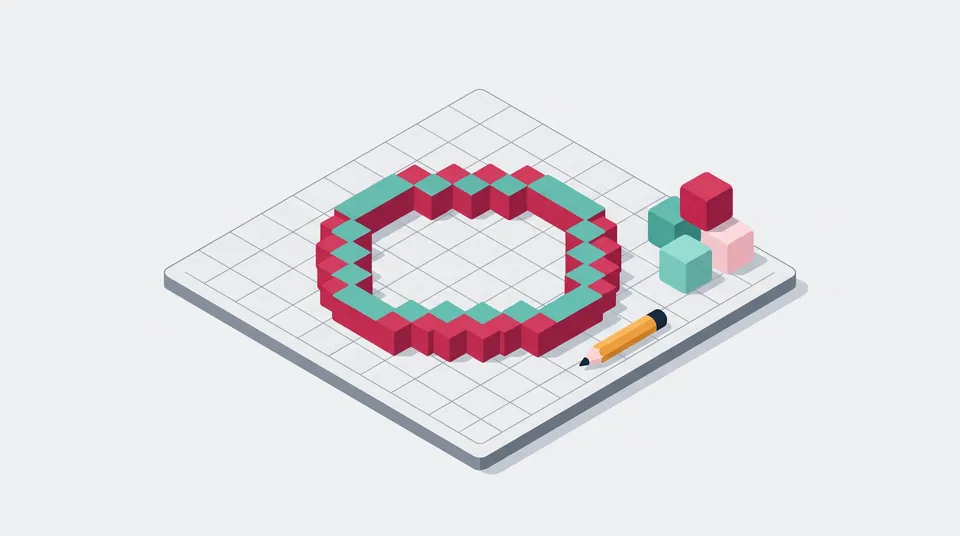
Minecraft circle generator
Get a block-by-block plan for any circle, oval or sphere layer up to 512 blocks wide, with a row list to build from, progress marks and a PNG to keep next to the game.
Block grid planner
Make your circle
Hover or tap a block to see where it is, counted from the center. Drag to move, pinch or scroll to zoom.
- Block to place
- Placed (a check mark when zoomed in)
- Center
- Thicker lines every 5 and 10 blocks from x 0 and z 0
On the grid: arrow keys move (Shift for 5 blocks), Enter or Space marks a block, + and − zoom, 0 fits it to the box. Right is east (+x), down is south (+z).
349blocks
21 × 21 circle · filled
Placed 0 of 349 (0%)
Rows, north (top) to south
Tick a row once it's builtEverything is worked out on this device. Your placed marks and last settings are kept in this browser only and never uploaded.
How to build a circle in Minecraft
- Set the width and height or pick a size, then choose filled, thin outline or thick outline.
- In your world, pick the center block, stand on it and press F3. The Block line shows your X, Y and Z (see below for Bedrock).
- Build the middle row first. Each row in the list says how many blocks it has and from which x to which x, counted from the center.
- Work outward to the north and south, one row at a time. Click blocks or tick rows to mark them as placed; the marks are saved in this browser.
- Count long rows with the thicker lines every 5 and 10 blocks, or download the PNG to keep on a second screen or print.
Advertisement
Odd or even: where the center is
An odd size such as 21 has a middle block: x 0, z 0, with 10 blocks on each side. An even size such as 20 has no middle block. Its center is the line between the two middle blocks, or the corner where four blocks meet. The generator then calls the block just east of that line x 0 and the block just south of it z 0, so x runs from −10 to 9. The dashed lines on the grid always cross at the true center.
Finding your spot with F3 coordinates
In Java Edition, press F3 (Fn + F3 on some laptops). The Block line shows the X, Y and Z of the block your feet are in, so the block you stand on has the same X and Z and a Y one lower. X grows to the east and Z to the south, the same as this grid: right is east, down is south. The Facing line shows which way you look, such as south (Towards positive Z). Add a row's z and x to your center block's Z and X to get the real position of each block.
Since Java Edition 1.21.9 you can choose what the F3 screen shows (F3 + F6), and a server can hide the position lines with the reduced debug info game rule. In Bedrock Edition, turn on Show Coordinates in the world settings to see your position in the top left corner.
How the generator draws circles
Every block is tested at its center: it is part of the shape when its center lies inside the ellipse that fits your width and height. The math runs in whole numbers, so the left and right halves and the top and bottom halves always mirror each other exactly. An outline is made of the filled blocks that touch the outside. Thin counts only the four side neighbors, giving a one-block line that steps diagonally (8-connected). Thick also counts the corner neighbors, so each block shares a side with the next (4-connected). On very long, thin ovals the ends would slip between block centers, so the generator keeps the middle block of those end rows and the pattern stays exactly the size you asked for.
Sphere layer does the same with a ball, one horizontal layer at a time. Hollow layers also look at the blocks above and below, so the shell has no holes, and the result card adds up the whole sphere and the dome (the top half). Block counts also show stacks of 64, the stack size of most items.
Sources, checked 20 November 2026: Minecraft Wiki pages Debug screen (F3, the Block and Facing lines, the 1.21.9 changes and the game rule), Coordinates (east is +X, south is +Z, Bedrock's Show Coordinates) and Stack (most items stack to 64).
Your plan stays in your browser
The patterns are calculated on your device. Placed marks are saved in this browser's local storage, separately for each shape, size, style and layer, together with your last settings. Nothing is uploaded. For server tools, see the Minecraft player count checker, the Minecraft server list and the Minecraft MOTD generator.
Frequently asked questions
Why do small circles look like squares?
A block counts when its center is inside the circle. In a 3-wide circle all nine centers are inside, so you get a 3 × 3 square. The first rounded shape is 5 wide, with rows of 3, 5, 5, 5 and 3 blocks, and every size after that gets smoother.
Should I use an odd or an even size?
Odd sizes have a middle block, handy for a centered pillar, beacon or 1-wide door. Even sizes have a middle line instead, so they suit 2-wide doors, paths and a 2 × 2 center. The grid marks the center either way.
What is the difference between a thin and a thick outline?
A thin outline uses one block per step, so on the curves blocks meet only at their corners. A thick outline adds a block wherever two blocks would only touch diagonally, so every block shares a side with the next. Thick takes more blocks but looks solid from every angle.
How do I build a sphere or a dome?
Choose Sphere layer, set the diameter and build one layer at a time, moving up one block per layer. Layer 1 is the bottom. For a dome, start at the widest layer, which the layer note points out, and work up to the top. The result card shows how many blocks the whole sphere and the dome need.
Are my placed marks saved?
Yes, in this browser only. Marks are saved separately for each shape, size, style and layer, so you can switch sizes and come back to them. They are never uploaded, and clearing this site's data in your browser deletes them.
More free tools
Advertisement