Minecraft MOTD generator
Style the two lines under your server's name in the multiplayer list, check how they look, and copy a ready motd= line for server.properties.
Java Edition server list
Design your MOTD
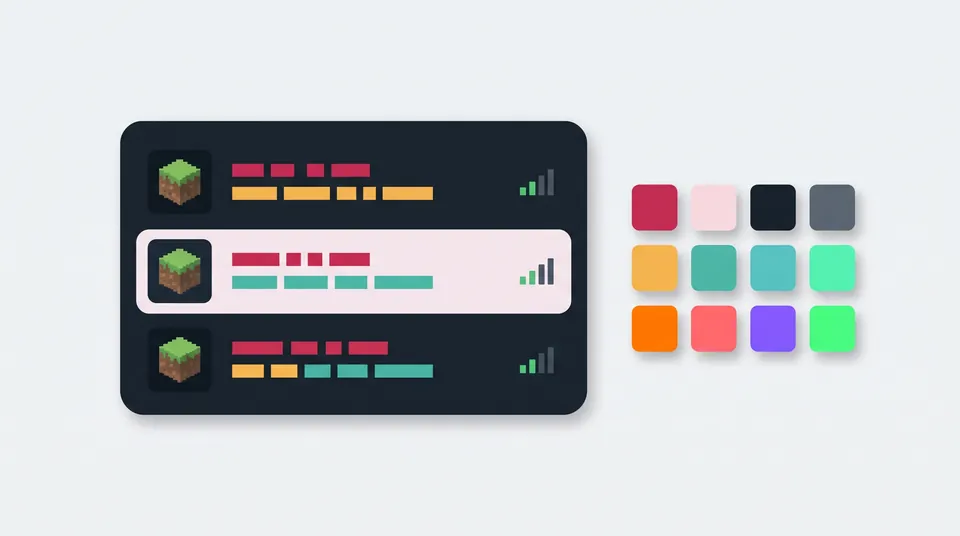
Server list preview
Approximation; 123/500 and the ping are sample valuesPlayers choose this name when they add your server, so it's only for the preview.
Server iconThe icon is a 64 × 64 PNG named server-icon.png in the server folder. Your file stays on this device.
Line 10 / about 45 visible characters
Line 20 / about 45 visible characters
Select part of the text, then pick a color or format. With nothing selected, it applies to what you type next. Ctrl+B, Ctrl+I and Ctrl+U work too. Hatched text is obfuscated.
Import an existing MOTD
Pasting § codes straight into the editor works too.
server.properties line
Replaces the motd= line in server.properties. § is written as \u00A7 and the line break as \n, so it works in every server version.
Text with § codes
For Spigot, Paper and plugin configs that take § codes.
Text with & codes
Many MOTD plugins use & instead of §. It depends on the plugin: some use MiniMessage tags instead, so check its documentation.
Your MOTD and icon are handled on this device. Nothing you type or pick is uploaded or stored.
How to change your server's MOTD
- Pick a preset or type your two lines. Press Enter once to start line 2.
- Select text and pick a color or format, then check the preview.
- Select Copy line under server.properties line.
- Stop the server, open server.properties in the server folder and replace the existing
motd=line with the copied one. Keep it on one line. - Save and restart the server (it only reads server.properties when it starts), then check it in the Minecraft player count checker.
Advertisement
Minecraft color and format codes
| Code | Color | Java hex |
|---|---|---|
§0 | Black | #000000 |
§1 | Dark blue | #0000AA |
§2 | Dark green | #00AA00 |
§3 | Dark aqua | #00AAAA |
§4 | Dark red | #AA0000 |
§5 | Dark purple | #AA00AA |
§6 | Gold | #FFAA00 |
§7 | Gray | #AAAAAA |
§8 | Dark gray | #555555 |
§9 | Blue | #5555FF |
§a | Green | #55FF55 |
§b | Aqua | #55FFFF |
§c | Red | #FF5555 |
§d | Light purple | #FF55FF |
§e | Yellow | #FFFF55 |
§f | White | #FFFFFF |
The formats are §l bold, §o italic, §n underline, §m strikethrough, §k obfuscated (changing random characters of the same width) and §r reset. On Java a color code switches formats off, so the color goes first: §6§l is bold gold. The generator handles this and gives line 2 its own codes. Text without a color shows in the list's default gray.
Where the MOTD goes
Vanilla, Paper, Spigot and Fabric servers read motd= from server.properties, where § is written as \u00A7 and the line break as \n. That works in every version: since 1.20 the file is read as UTF-8, but older servers read it as ISO-8859-1 and show a typed § as §. MOTD plugins and proxies have their own setting. Many take & codes (the Bukkit API turns & into § before 0–9, a–f, k–o or r); others want MiniMessage tags, so check the plugin's documentation.
Java Edition and Bedrock Edition
The MOTD is a Java Edition setting (see the questions below for Bedrock servers). The codes differ too:
- Bedrock reads
§mand§nas extra colors (redstone and copper) and adds colors such as§gminecoin gold. - On Bedrock, formats stay on after a color code.
- Some shades differ: gray
§7is #C5C5C5 on Bedrock and #AAAAAA on Java.
Check that it works
After the restart, enter your address in the Minecraft player count checker: it pings your server like the game does and shows its MOTD, version and players online. The Minecraft server list ranks the biggest public servers, handy for seeing how large networks write theirs; it doesn't take submissions. For your players' Discord, try the Discord colored text generator.
Sources, checked 20 November 2026: Minecraft Wiki pages Formatting codes, Server.properties, Server list and Text component format; Oracle's java.util.Properties documentation (escapes, also tested with Java 21); Paper's ChatColor documentation (& codes); Game Server Kings' server list guide (two lines, wrapping). The 45-character width is our approximation of a pixel width; the preview is not a screenshot of the game.
Your MOTD stays in your browser
The codes are built on your device. This page doesn't send, store or log what you type or the icon you try.
Frequently asked questions
Why does my MOTD show § or strange symbols?
The server read a typed § with the wrong encoding. Servers before 1.20 read server.properties as ISO-8859-1, so a § saved as UTF-8 shows up as §. Write it as \u00A7, as the copied line does: that works in every version.
Why doesn't my new MOTD show up?
The server only reads server.properties when it starts, so restart it after saving, then refresh the server list. Also check that the file has only one motd= line and that your MOTD stays on that line, with \n between the two lines.
How long can a MOTD be?
Two lines. Each fits about 45 characters of normal text; the real limit is a pixel width, so bold and wide letters fit fewer. Longer text wraps, and anything past the second line isn't shown. The Minecraft Wiki also notes that a MOTD over 59 characters may make the server list report a communication error, so shorten it if players see that.
Does the MOTD work on Bedrock?
Not this way. Bedrock Dedicated Server has no motd setting; its server.properties uses server-name, which can't contain a semicolon or a colon. Bedrock also reads §m and §n as colors instead of strikethrough and underline.
Can I use hex colors in my MOTD?
Not with this generator. Java Edition 1.16 added hex colors to JSON text, but server.properties takes plain text with § codes and we couldn't verify a hex format it accepts, so we stick to the 16 color codes. Some plugins add hex colors with their own syntax.
More free tools
Advertisement